 StudyLens AI
Three steps, then you are revising
-
1
Add the material
A PDF, a photo of a page, a scan of your notebook, text you paste, or a link to an article.
-
2
It reads it
Within about half a minute you have a summary, a deck of flashcards and a quiz, all made from that document.
-
3
Study, and it keeps score
Reviews and quiz results build a picture of what you know. Opening a file does not count as studying.
The document stays the point
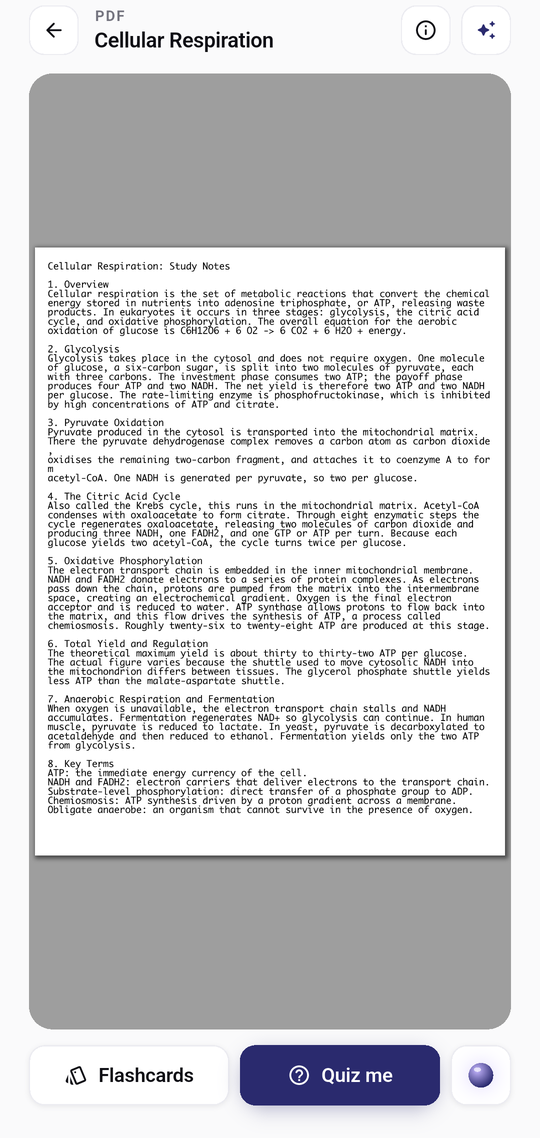
Open it and you see what you uploaded
Your PDF, photo or notes fill the screen — not a table of metadata about them. Everything the AI made sits one tap away around the edges: the summary in the header, flashcards and the quiz along the bottom.
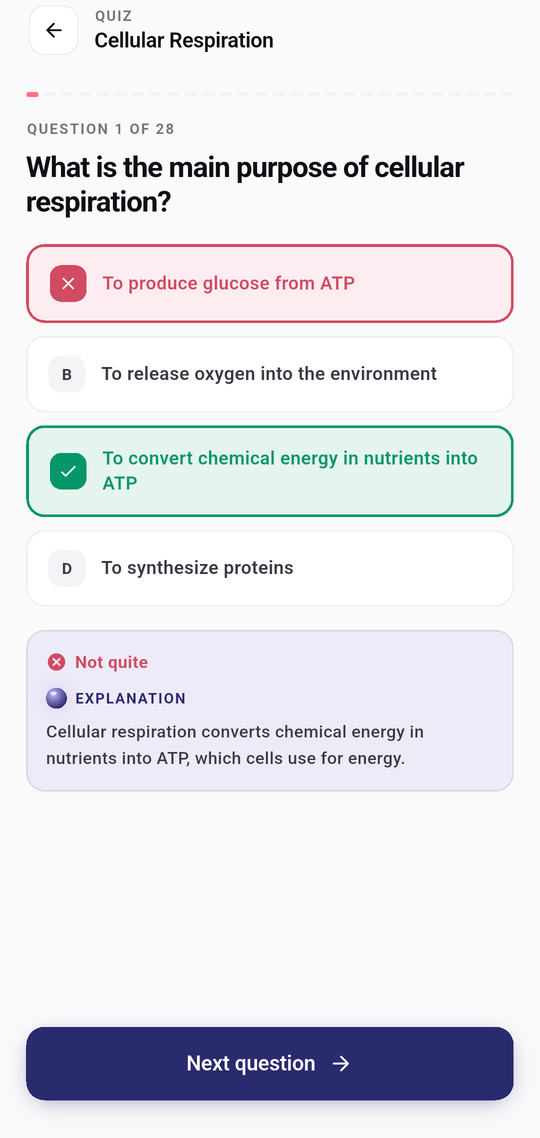
Quiz
Marked the moment you answer, and explained
The right answer turns green, a wrong pick turns red, and the explanation appears underneath — written from your own document. No waiting until the end to find out what you got wrong.
Your first answer is the one that counts. Being able to change it after seeing the right one would make the score a measure of persistence.
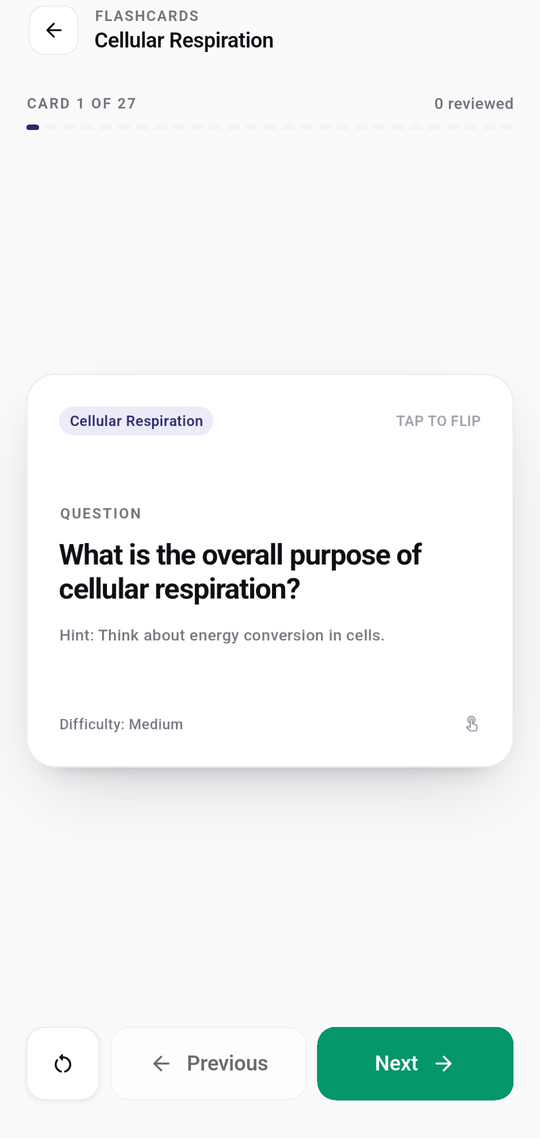
Flashcards
A deck you did not have to write
Cards made from the material, with the answer on the back and the section it came from. Tap to flip, Next to move on — no rating a card before you are allowed to continue.
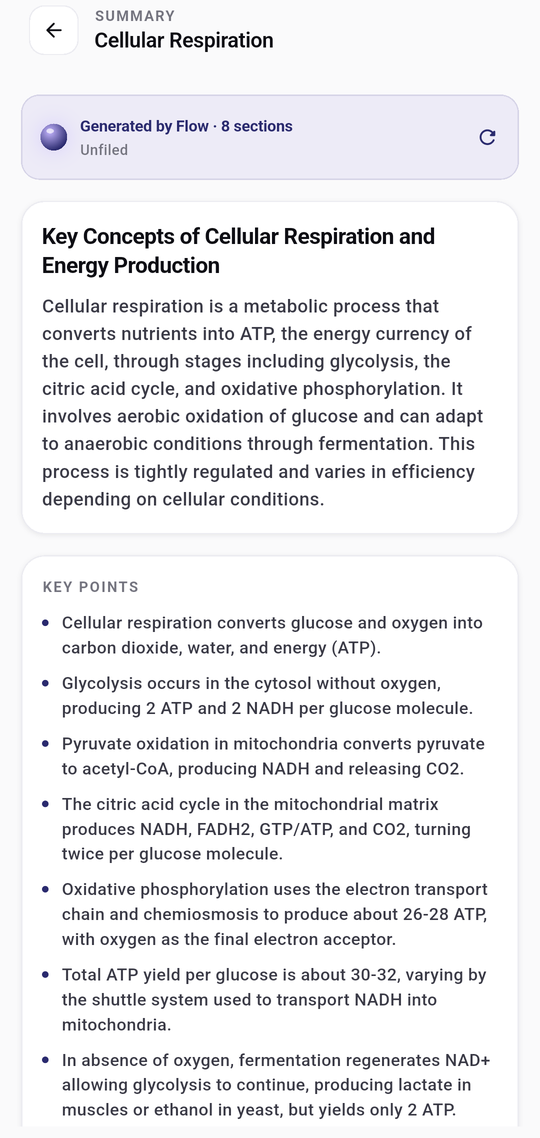
Summary
The long chapter, in a page
Key points drawn out of the document you gave it, in sections you can skim before an exam. It summarises your material, not something it found on the internet.
And the rest of it
-
Ask about the document
Flow answers from the material you gave it, and says so when the answer is not in there rather than inventing one.
-
A plan, and the exams it leads to
Blocks of study time, exams with their material attached, and preparation worked out from what you have actually done.
-
Progress you can trust
Reading, flashcard reviews and quiz results count towards it. Opening a document does not, and nothing is invented to fill a gap.
-
Scan a whole chapter
Photograph page after page; they become one document rather than a mess of separate images.
-
Subjects and a library
File material under subjects, search it, and pick up wherever you stopped.
-
On your phone, and the next one
Your material lives on our servers rather than on the handset, so it is there on whichever device you sign in from.
StudyLens AI is nearly here. Questions, or something you would want it to do? Write to [email protected] — a person reads it.